
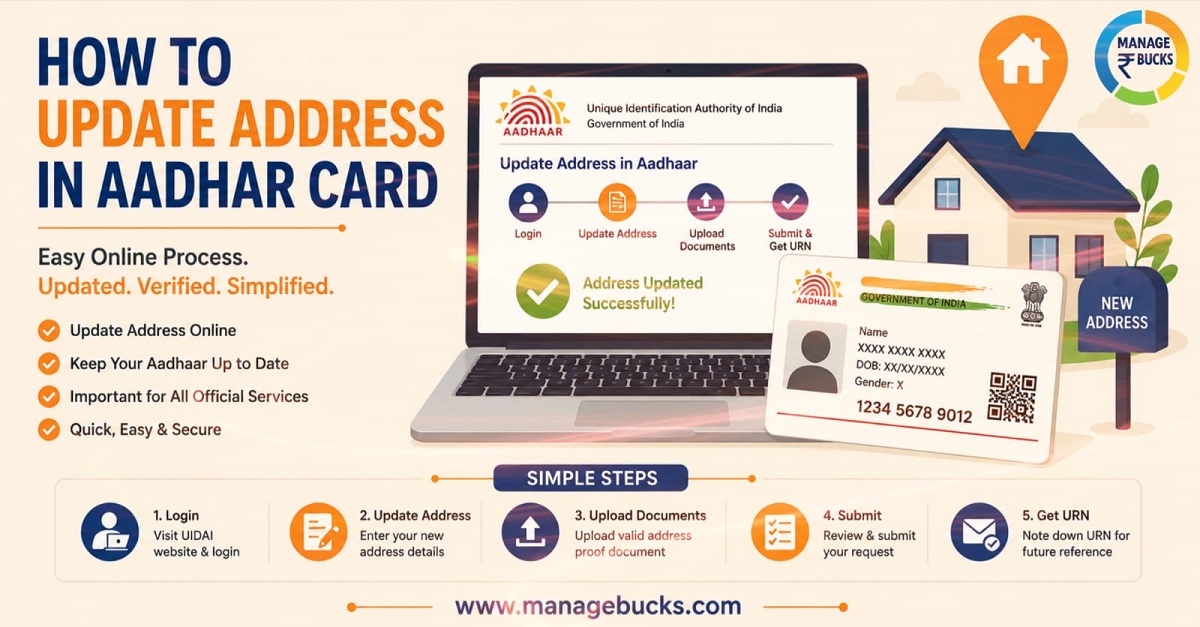
The Aadhaar Card is one of the most widely used documents in India. It is used for banking, government schemes, linking PAN, applying for a passport, SIM verification and various other services. If you have moved to a new home, changed your address or if the address on your Aadhaar card is incorrect, it is essential to update the address on the card.
In this guide, you will learn how to update address in your Aadhaar card—both online and offline—through simple steps.
Documents Required for Aadhaar Address Update
To update your address in Aadhaar, a Proof of Address (PoA) document is required. You must possess one of the following documents
- Passport
- Bank Passbook or Bank Statement
- Utility Bills (Electricity, water or landline) – Not older than 3 months
- Property Tax Receipt
- Gas Connection Bill
- Driving Licence
- Voter ID Card
- Ration Card
- Post Office Passbook
- Registered Rent Agreement (if accepted)
- State or Central Government issued address proof
Ensure that the address provided on it matches exactly what you are entering in the form.
How to Update Address in Aadhaar Card Online
Aadhaar can be updated online in two ways:
1. Update Address using your documents
2. Family member or Head of Family (HOF) based address update
1. Update Address using your documents
What You’ll Need
- Your 12-digit Aadhaar number
- A mobile number registered with your Aadhaar (mandatory for OTP verification)
- A valid Proof of Address (POA) document with your new address
Step-by-Step: Update Aadhaar Address Online Using Your Documents
- Visit the official UIDAI website or myAadhaar portal (uidai.gov.in).
- Log in using your Aadhaar number, the captcha code, and the OTP sent to your registered mobile number.
- Select “Update Aadhaar” or the “Address Update” tab.
- Choose “Update Aadhaar using your documents.”
- Select “Address” as the field you want to update, then click “Proceed to Update Aadhaar.”
- Your current address will be displayed. Scroll down and enter your new address, including state, district, village/town/city, and post office.
- Upload your Proof of Address document as a clear scanned copy.
- Review all details carefully, then submit the request.
- Pay the applicable update fee online (₹75).
- On successful submission, you’ll receive a Service Request Number (SRN) or Update Request Number (URN) — save this for tracking. Download the invoice for your records.
2. Update Aadhaar Address Using Head of Family (HoF) Method
Not everyone has a utility bill, rent agreement, or bank statement in their own name—and the UIDAI’s ‘Head of Family’ (HoF) facility was created to address this gap. If you are a spouse, child, or dependent parent living at another person’s address, you can update your Aadhaar using that family member’s address with their consent; no personal proof of address is required for this.
What Is the HoF-Based Aadhaar Update?
The Family Member or HoF method lets you update your Aadhaar address using a family member’s Aadhaar-linked address as your own, instead of submitting a standard Proof of Address (POA) document. It’s designed for situations like:
- A newly married spouse moving into their partner’s or in-laws’ home
- Children or students living with parents
- Elderly parents residing with their children
- Anyone who shares a household but has no independent address documents
Any Aadhaar holder aged 18 or above with a valid address on their own Aadhaar can act as the Head of Family (HoF) and share their address with relatives.
What You’ll Need
- Your own Aadhaar number, with a registered mobile number (for OTP verification)
- The 12-digit Aadhaar number of your Head of Family
- A Proof of Relationship (PoR) document showing both your name and the HoF’s name, and the relationship between you — for example:
- Ration card
- Marriage certificate
- Passport
- Marksheet (school/college)
- Birth certificate
- Any other government-issued document establishing the relationship
No PoR document available? UIDAI allows a self-declaration by the HoF in the prescribed format as an alternative — useful when a formal relationship document doesn’t exist.
Step-by-Step: Update Aadhaar Address Online Using Family Member or HOF
- Visit the official myAadhaar portal (myaadhaar.uidai.gov.in).
- Log in using your Aadhaar number, captcha, and the OTP sent to your registered mobile.
- Select “Update Address”, then choose the Head of Family (HoF) option.
- Enter the 12-digit Aadhaar number of your HoF.
- Upload your Proof of Relationship document (or opt for the HoF self-declaration route if you don’t have one).
- Review your request and pay the service fee of ₹75.
- On successful payment, you’ll receive a Service Request Number (SRN) — save this to track your request.
- An SMS notification is sent to your HoF, asking them to approve the request.
Step-by-Step: What the Head of Family Needs to Do
The update only goes through once your HoF approves it:
- The HOF logs into the myAadhaar portal (or the Aadhaar App, depending on the method used).
- They locate the pending request — via Services → Family Member Request on the Aadhaar App, or the equivalent section on the web portal.
- They enter the SRN shared with them.
- They complete OTP-based (or Face) authentication to give consent.
- Once approved, the address update is processed and reflected in the applicant’s Aadhaar record.
Important: The HOF must approve the request within 30 days of the SRN being generated
How Long Does It Take?
UIDAI states address updates may take up to 30 days to verify and process, though in practice most requests are resolved much faster — often within a few days.
How to Track Your Aadhaar Update Status
- Go to the UIDAI website and open “Check Aadhaar Update Status.”
- Enter your SRN/URN along with the captcha code.
- Click Submit to view your current status — under verification, approved, or completed.
How to Update Address Offline
If you cannot update online, visit your nearest Aadhaar Seva Kendra.
Follow these steps:
- Carry your Aadhaar card.
- Take your original address proof.
- Fill the Aadhaar Update Form.
- Submit your documents.
- Complete biometric verification if required.
- Pay the update fee.
- Collect the acknowledgement slip.
Keep the acknowledgement slip safely.
Common Mistakes to Avoid
- Mismatched address details: The address you type must match exactly what’s on your uploaded document.
- Blurry or cropped document scans: Always upload a clear, full, colour scan.
- Using an unregistered mobile number: Online updates are impossible without a working OTP.
- Ignoring document validity windows: Utility bills older than 3 months or property tax receipts older than a year will be rejected.
Updating the address on your Aadhaar is a simple process that ensures your identity-related records remain accurate. Whether you update it online or visit an Aadhaar Seva Kendra, ensure that your documents are correct and your information matches your proof of address.
Keeping your Aadhaar updated allows you to seamlessly access banking services, government schemes, and various other essential facilities.